Use this free image resize percentage calculator to find the exact percentage needed to resize your image to a specific width, height, or longest side — no more guessing, no more trial and error.
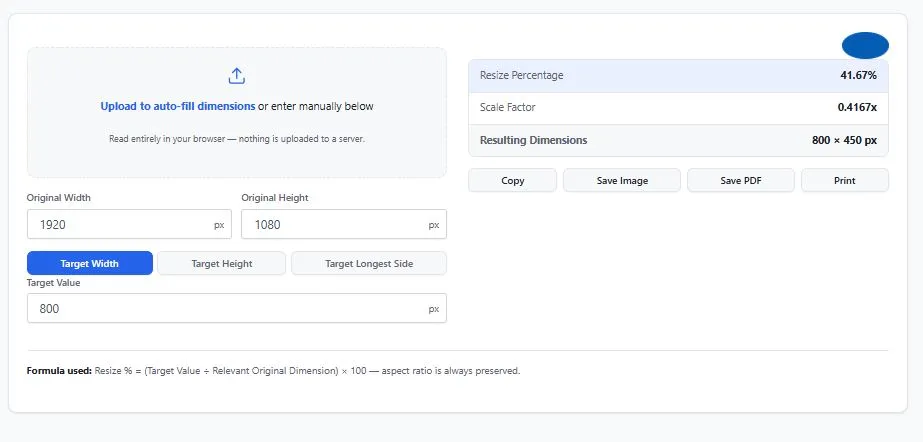
Enter your original dimensions (or upload your image to auto-fill them), choose what you're targeting, and get the exact resize percentage, scale factor, and resulting dimensions instantly.
Formula used: Resize Percentage = (Target Value ÷ Original Dimension) × 100
Upload to auto-fill dimensions or enter manually below
Read entirely in your browser — nothing is uploaded to a server.
Formula used: Resize % = (Target Value ÷ Relevant Original Dimension) × 100 — aspect ratio is always preserved.
How the Image Resize Percentage Calculator Works
This calculator works in three modes, depending on what dimension you already know:
Target Width — you know the exact width you need (like 800px for a blog post), and want to know what percentage that is of your original image, plus the resulting height.
Target Height — same idea, but starting from a known height instead.
Target Longest Side — useful when you just need the longer dimension to match a specific size (common for print sizing or platform upload limits), regardless of whether that's the width or height.
In every mode, aspect ratio is always preserved — the calculator scales both dimensions by the same factor, so your image never gets stretched or distorted.
Formula:
Resize Percentage = (Target Value ÷ Original Dimension) × 100
Scale Factor = Target Value ÷ Original Dimension
New Dimension = Original Dimension × Scale Factor
Everything updates instantly as you type — no submit button required.
Common Resize Targets for Popular Platforms
Not sure what target size to use? Here are common width requirements for popular platforms — enter these as your Target Width to instantly get the resize percentage for your specific image.
For the most current, official platform specifications, refer to Meta's official image size guidelines, which covers recommended pixel requirements across Facebook and Instagram placements.
Table:
| Platform / Use Case | Recommended Width |
|---|---|
| Instagram feed post (square) | 1080 px |
| Instagram/Facebook vertical feed post | 1080 × 1350 px |
| Facebook link preview image | 1200 × 628 px |
| X (Twitter) — minimum recommended width | 1200 px |
| Email newsletter image (standard convention) | 600 px |
These figures reflect current 2026 platform recommendations, but social platforms update their specs periodically — always double-check the platform's current guidelines before a major campaign. Enter any of these values as your Target Width to see exactly what percentage to resize your original image to.
Tips for Getting Accurate Results
- Use your image's actual pixel dimensions, not its display size — a photo might display as 4 inches on screen but still be 3000 pixels wide. Always use the real pixel count for accurate resizing.
- Upload the image when possible — manually checking file properties can introduce typos or outdated information if you've edited the image since. Uploading auto-fills exact current dimensions.
- Pick "Target Longest Side" for print and framing — this mode automatically handles both portrait and landscape orientations without you needing to know which dimension is larger.
FAQs
How do I calculate the percentage to resize an image?
Divide your target dimension by the original dimension, then multiply by 100. For example, resizing a 1920px-wide image to 800px: (800 ÷ 1920) × 100 = 41.67%. This calculator does this instantly for width, height, or longest side.
What is "Target Longest Side" and when should I use it?
Target Longest Side scales your image so its longer dimension — whether that's width or height — matches your target value. It's especially useful for print sizing or platform limits that only specify a maximum dimension, since it automatically works for both portrait and landscape images.
Does uploading my image to this calculator upload it to a server?
No. If you upload an image, it's only read within your browser to detect its pixel dimensions. It's never uploaded, transmitted, or stored anywhere.
Is this image resize percentage calculator free to use?
Yes, this calculator is completely free, requires no login or signup, and has no usage limits.
Quick Summary
This free image resize percentage calculator instantly finds the exact percentage needed to resize your image to a target width, height, or longest side — solving the common problem of not knowing what percentage to enter in your editing software. Enter your original dimensions manually or upload your image to auto-fill them, choose your target mode, and get your resize percentage, scale factor, and resulting dimensions immediately, with aspect ratio always preserved. Whether you're a social media manager hitting exact platform specs, a designer fitting images into a layout, or anyone tired of guessing percentages by trial and error, this calculator gives you the exact number you need.
Disclaimer
The Image Resize Percentage Calculator and all information on this page are provided by BytePriva for general estimation and informational purposes only. This tool calculates resize percentages and resulting dimensions based on standard proportional scaling formulas; it does not generate, download, or modify actual image files.
BytePriva, its owners, and contributors make no warranties, express or implied, regarding the accuracy, completeness, or reliability of this calculator or its results. To the fullest extent permitted by law, BytePriva shall not be held liable for any direct, indirect, incidental, or consequential loss, damage, or cost arising from the use of, or reliance on, this calculator or the information provided on this page.
By using this calculator, you acknowledge and agree to these terms.
Note: If an image is uploaded to this calculator, it is only read locally within your browser to detect its dimensions. No images are uploaded, transmitted, or stored on BytePriva's servers.